


Helping children express. Helping parents understand.

Give every child more ways to express what they need.

AutiConnect Cares brings visual communication, feelings and needs boards, daily routines and caregiver insights together in one accessible app for families and the people who support them.

Free to start • Designed for families and care teams • iOS and Android

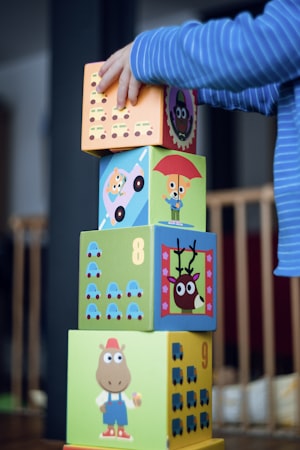
A child playing and learning with a caregiver nearby
Feelings board
I Want / I Need
Visual routines
SOS alert
Everyday support

Practical tools for everyday situations

These are the moments the app is designed around — with tools families can adapt to the individual child.

When words are difficult

Visual choice boards can offer another way to communicate everyday needs and feelings — food, water, rest, help, or simply “not now”.

A child taps a tile instead of searching for words.

When routines feel unpredictable

Visual steps can help make the sequence of activities easier to see, so the shape of the day is clearer before it happens.

Morning and bedtime steps shown one at a time.

When caregivers need to share observations

Organised activity information can help families prepare for conversations with teachers, therapists and other professionals.

Notes collected during the week, ready for an appointment.

When a child needs to show discomfort

A visual body map can provide a way to indicate a body area. It does not diagnose pain or identify its cause.

A child points to where something feels uncomfortable.

Visual communication tools offer another way for children to express everyday needs, feelings and preferences. Every child is different, and communication supports should be personalised.

These tools are designed to support communication. They do not replace professional advice, therapy or medical care.

Features

What's inside AutiConnect Cares

Five groups of tools, with availability shown for each. Features can differ slightly between iOS and Android — the current store listing shows the latest.

Communication

Included in Free

Visual boards that give a child another way to say what they need, feel or would rather not do.

  • AAC / visual communication boards — tap picture tiles to express a need or thought without spoken words.
  • Feelings board — large emotion tiles such as happy, sad, angry, scared, anxious or sick.
  • I Want / I Need boards — categorised tiles for food, water, bathroom, play, rest and more.
  • I Don't Want board — a clear way to express a refusal.

Who may use it: Children who are non-speaking, have limited speech, or communicate more easily with pictures.

Example: A child taps “water” instead of leading a caregiver to the kitchen.

Daily life

Free for one child profile · unlimited profiles in Pro

Visual routines that show the steps of a task or part of the day in order.

  • Routine builder — create morning, bedtime or school sequences with photos and text.
  • Step-by-step display — one step at a time, so the next action is visible.
  • Step timers — an optional timer for each step where it helps.
  • Reorder or edit — change a routine as the child's needs change.

Who may use it: Families and support staff who want the sequence of an activity to be easier to follow.

Example: A bedtime routine kept to the same four visual steps each evening.

Caregiver understanding

Pro

Organised activity information that can help caregivers notice patterns and prepare for appointments.

  • Activity logs — timestamps of taps and activities in the app.
  • Emotion and needs information — a summary of what has been selected over time.
  • Parent dashboard — charts that show activity and emotion frequency.
  • PDF export — a printable summary to bring to a therapist, teacher or appointment.

Who may use it: Parents and caregivers who want a clearer record of what happens day to day.

Example: Exporting a week of entries before a speech therapy session.

Learning and engagement

Pro

Simple learning and calm-down activities with visual scaffolding.

  • Alphabet A–Z with audio.
  • Reading materials that a caregiver can add and adapt.
  • Math exercises with visual support.
  • Games, colouring and a rewards/star system.

Who may use it: Children practising early literacy, numeracy or self-regulation with an adult nearby.

Example: A caregiver adds a short reading passage about a topic the child enjoys.

Additional support

SOS alert in Free · pain body map in Pro

Extra tools for moments when a child needs to show that something is wrong.

  • Pain body localisation diagram — a text-free figure where a child can indicate a body area.
  • SOS alert — a one-tap alert through the channels enabled in the app.
  • Support notes — caregiver-written information such as medication details or daily instructions.

Who may use it: Families and support staff who want a simple way for a child to signal discomfort.

Example: A child points to a body area, and a caregiver reviews the entry.

What we don't do

AutiConnect Cares is not a treatment, diagnostic or medical device, and it is not a replacement for therapy, medical care or emergency services. It does not provide school administration or multi-user team collaboration — each family manages its own profile and settings.

SOS & safety tools

A simple way for a child to raise a hand.With clear limits.

The SOS button lets a child signal for help. When the relevant channels are enabled and working, the caregiver may receive an alert by email, a Telegram message, or a shared location link — delivery depends on connectivity, device permissions, notification configuration and service availability.

In-app alert
The alert is raised inside the app on the child's device.
Email
An email to the caregiver address set up in the app, when email alerts are enabled.
Telegram message
A message to a Telegram account connected in settings, where that channel is available.
Location sharing
A location link the caregiver can open, when location access is granted on the device.
Pain body map
A text-free figure where a child can indicate a body area. It does not diagnose pain or identify a cause.
Please read

SOS delivery depends on connectivity, device permissions, notification configuration and service availability. An alert can be delayed, or may not arrive at all, so the SOS button should not be the only way a family plans to ask for help.

AutiConnect Cares is not an emergency service. In an emergency, contact local emergency services directly. Do not rely on the app as your only emergency communication method.

Only the channels shown inside your app version are available to you.

Who it's for

One child's tool, shared by the people who care

AutiConnect Cares is designed for children and individuals with autism or other communication challenges, and the people who support them.

For families

Parents & caregivers

Set up a child profile, choose the boards and routines that suit the child, and review the activity information the app records.

Boards & routinesActivity informationCaregiver settings

Family members

Grandparents, relatives or anyone helping with care can use the same simple visual boards during their time with the child, with the family's agreement.

Simple visual screensOne shared profileSet up by the family

For professionals

Shadow teachers & learning support assistants

Use visual routines or choice boards to make the sequence of a school activity easier to follow, with the family's agreement.

Visual routinesChoice boards

Teachers & schools

Visual supports for an individual child, set up by that child's family. There is no school or classroom administration, staff accounts or synchronised team access in the app.

Individual child onlyNo classroom admin

Therapists and other professionals

Review the activity information a family chooses to share, and suggest routines or boards to try between sessions. The app does not assess, diagnose or treat.

Shared summariesBetween sessions

Nurses & healthcare staff

With a caregiver present, a child can indicate a body area on a text-free figure. This does not diagnose pain, identify a cause, or replace clinical assessment.

Body-area indicationNot a medical record
Designed with ages 3–16 in mind

The tools can be adapted as a child grows, and every child is different. Professionals use the app with the family's agreement — it does not provide institutional administration, secure staff accounts, or clinical endorsement, and it is not a medical record system.

How it works

Three simple steps to get started

1

Download and create an account

Get the free app on iOS or Android and set up a caregiver account.

2

Set up the child profile

Add a profile, then explore the communication boards and routine tools at your own pace.

3

Introduce one tool at a time

Choose one feature, use it for a while, and adapt it to what works for the child.

Every child is different. Use the tools that suit the individual and seek professional guidance when needed.

Parent and child
Child playingFamily support
Our Story

Built by a parent,
for parents

My life as a parent of a child with autism has been a journey of love, patience and constant learning. I've faced challenges that many people never see or fully understand.

This app wasn't created as a business idea.
It was created out of necessity.

Every feature comes from real-life struggles… and real solutions I discovered along the way. From nights wondering "Is my child in pain?" to days searching for better ways to help them communicate — every screen in this app was built from those moments.

This is more than just an app — it's a support system built with experience, empathy, and love for every family on this journey.

"And if it can make another parent's journey even just 1% easier… then it has already done its job."
Parent
Built by a parent
💙
Built with Love
100%
From Real Life
Pricing

Start free. Unlock more with Pro.

No long contracts. Cancel at any time.

Free
$0
No card needed to start
  • AAC communication boards
  • Feelings expression board
  • SOS alert
  • I Want / I Need / I Don't Want
  • Basic daily routine builder
  • 1 child profile
Download Free
MOST POPULAR
Pro
$49.99
per year, after a 3-day free trial

The 3-day free trial applies to subscriptions started in the iOS or Android app. The App Store or Google Play confirms the price and the date of the first charge before you subscribe.

After the trial, the subscription renews automatically at $49.99 per year unless you cancel before it ends. You can cancel any time in your Apple or Google subscription settings.

If you subscribe on this website, the amount charged is shown on the checkout page before you pay. Prices vary by region.

  • Everything in Free
  • Unlimited child profiles
  • Pain body localisation diagram
  • Parent dashboard and charts
  • Weekly emotion and activity summaries
  • PDF export for appointments
  • Alphabet, reading and math modules
  • Colouring and games activities
  • Badge and rewards trophy room
  • Medication and support notes
  • Email, Telegram and location alert channels
  • Priority support
See the current offer in the app

Free vs Pro

Free includes every basic tool. Pro includes everything in Free, plus every additional feature.

FeatureFreePro
Included in every plan, Free and Pro
AAC communication boards
Feelings expression board
I Want / I Need / I Don't Want boards
Visual routine builder
SOS alert
1 child profile
Added with Pro
Unlimited child profiles
Pain body localisation diagram
Parent dashboard and charts
Weekly emotion and activity summaries
PDF export for appointments
Alphabet, reading and math modules
Colouring and games activities
Badge and rewards trophy room
Medication and support notes
Email, Telegram and location alert channels
Priority support

Availability shown reflects the plans described in the app, and individual features can differ by platform and app version — the app and its store listing show what is currently available. Subscriptions renew automatically unless cancelled before the renewal date.

Know a family that could use this?

You can gift AutiConnect Cares Pro to another family. Email us to arrange a gift subscription and we will confirm the current options.

support@auticonnectcare.com

Secure checkout • 3-day free trial • $4.99 per month or $49.99 per year • Cancel at any time

Referral & partner programmes

Two existing programmes, explained clearly

Both programmes run inside the app and through our support team. Nothing on this page changes the programme rules.

For families

Give a Month, Get a Month Free

  1. Open AutiConnect Cares and select Referral Programme.
  2. Share your personal referral invitation using the app's own sharing process.
  3. The referred family and you can each receive one free month once the programme's eligibility conditions are met.
Referred family
1 month
Referring family
1 month

The qualifying event, reward timing, any limits, expiry and how the reward is redeemed are set by the current in-app programme terms. Rewards are not unlimited unless the in-app terms say so.

For professionals

Partner programme

Who may apply

Therapists, special educators, learning support professionals and suitable creators.

How to express interest

Email our team using the support address below, with a short note about your work.

What happens next

We review the enquiry and share the current programme terms with you directly.

Commission, tracking, payout thresholds, attribution windows, payment timing and geographic eligibility are set out only in the current partner terms. This page does not promise any specific reward. Partners must clearly disclose any material connection or commission when recommending the app. The programme is not a clinical endorsement.

Request the current partner programme details

Both programmes are managed inside the app and by our support team. Website copy does not replace the programme terms you receive directly.

Feedback

Have you tried AutiConnect Cares?

We welcome your feedback. We don't publish invented reviews or ratings — only comments people have given us permission to share.

Share your experience

Tell us what worked, what didn't, or how you use the app.

We check with you

We only publish feedback with your explicit permission.

You choose the credit

Name, role or anonymous — whatever you're comfortable with.

Share your feedback

Please don't include a child's personal information in your message.

FAQ

Common questions

Straight answers about the app and the plans.

What is AutiConnect Cares?

A communication and caregiver-support app for children and individuals with autism or other communication challenges, and for the parents, caregivers and professionals who support them. It brings visual communication boards, feelings and needs boards, visual routines and caregiver information into one app.

Is it a treatment or diagnostic app?

No. AutiConnect Cares does not diagnose, treat or cure autism, and it does not replace therapy, medical care or professional support. It is a communication support tool.

Who is it designed for?

Children and individuals who communicate more easily with pictures or visual choices, along with their families and the people who support them. Every child is different, so the tools are designed to be adapted to the individual.

Is there a free version?

Yes. The Free plan includes the core communication boards, the feelings board, the SOS alert, the I Want / I Need / I Don't Want boards, a basic routine builder and one child profile.

What does Pro include?

Pro adds unlimited child profiles, the pain body localisation diagram, the parent dashboard and charts, PDF export for appointments, the alphabet, reading and math modules, games, colouring and rewards, medication and support notes, and the email, Telegram and location alert channels. The pricing section has a full comparison.

Does it work on iOS and Android?

Yes, it is available on both the App Store and Google Play. Some features may differ slightly between the two platforms, so check the current store listing for your device.

How do I use the family referral programme?

Open AutiConnect Cares and select Referral Programme, then share your personal invitation using the app's own sharing process. The reward applies once the programme's eligibility conditions are met. Timing, limits and redemption are set by the in-app terms.

How can a therapist, school or creator ask about the partner programme?

Email support@auticonnectcare.com with a short note about your work and interest. We review enquiries and share the current programme terms directly.

How is child and family information handled?

The app stores account information, child profile details and the activity information created while using it. The privacy policy explains what is collected and how to ask for access or deletion. We are reviewing the policy and the app-store data labels together with the owner before making further claims, and we do not describe the app as compliant with any specific regulation.

How do I contact support or request account or data help?

Email support@auticonnectcare.com. Please include the email address you used for your account and a short description of what you need. For a data access or deletion request, write "privacy request" in the subject.

Still unsure? Contact our support team.

📱
Available Now

Give your child a voice today

Free to download, no card needed. Create a child profile and explore the tools at your own pace.

QR Code - Download on App Store

📷 Scan for iPhone

QR Code - Download on Google Play

📷 Scan for Android

🎉

Now available on both platforms

Whether you're on iPhone or Android, AutiConnect Cares is ready to download — free, no credit card needed.

Contact

We'd love to hear from you

Questions, feedback, partnership enquiries or a privacy request — choose a reason and we'll route it to the right person.

We aim to respond within two working days
Built by a parent, with lived experience
You can contact us about
  • Family support
  • Professional partnership
  • Affiliate enquiry
  • Privacy or data request
  • General feedback

In an emergency, contact your local emergency services. We can't respond to urgent requests through this form.

Please don't include a child's personal or medical information in this form.